
Contact Support
The Contact Support page lets you submit a request to the BrokerIG Customer Support team. Use this page when documentation does not resolve the issue or when the support team must investigate account or transaction data directly.
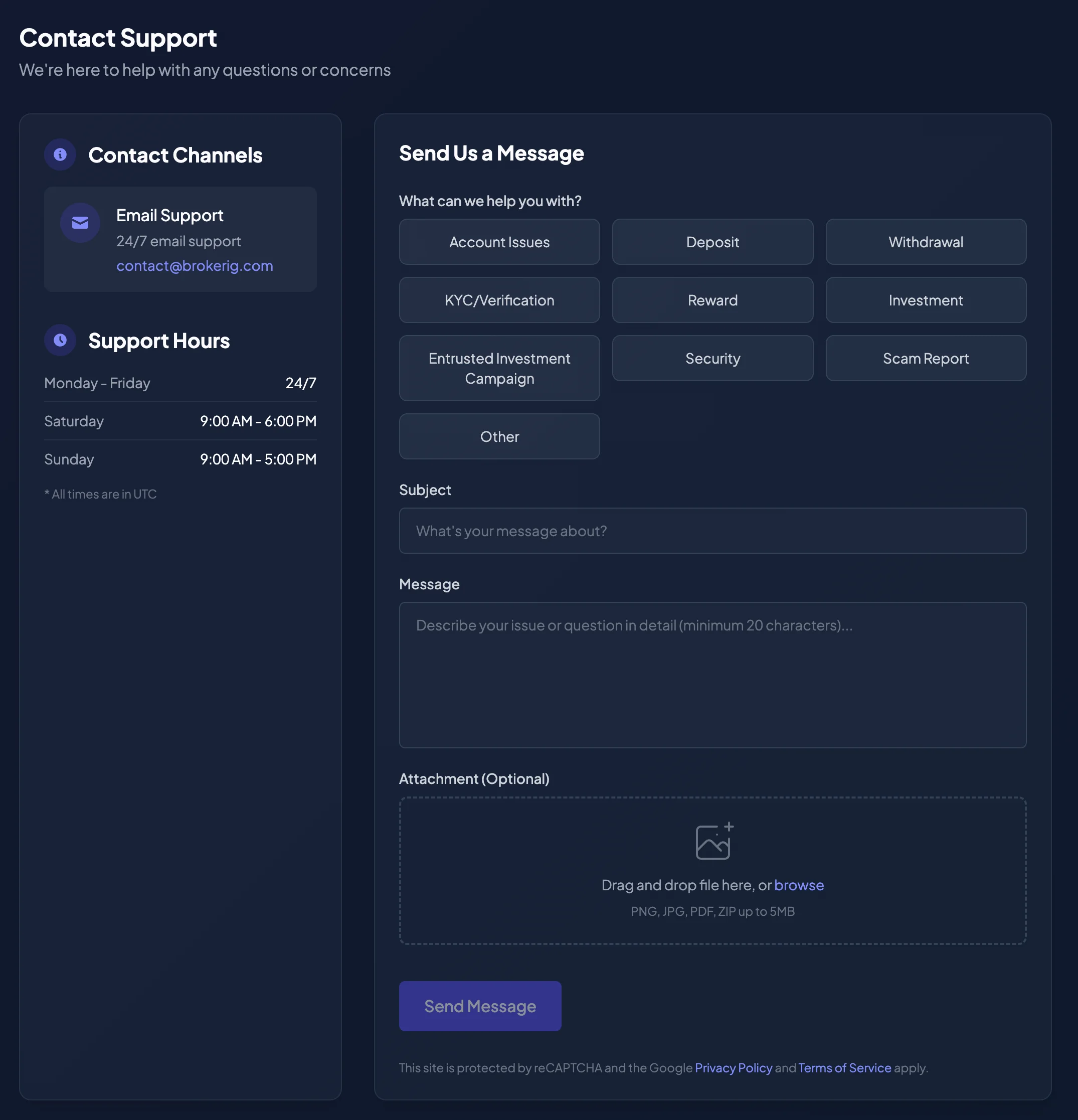
Contact channels
Section titled “Contact channels”The Support & Help Center may provide the following channels:
| Channel | When to use it |
|---|---|
| Email Support | Best for detailed requests, screenshots, attachments, or conversations that need a written record. |
| Community | Best for general updates or community discussion. Do not share private account information. |
Configured contact information:
| Channel | Value |
|---|---|
__SUPPORT_EMAIL__ | |
| Telegram Support | __SUPPORT_TELEGRAM_URL__ |
When should you submit a support form?
Section titled “When should you submit a support form?”Submit the form when the support team needs to investigate account or transaction data.
Common categories include:
- Account Issues
- Deposit
- Withdrawal
- KYC/Verification
- Reward
- Investment
- Entrusted Investment Campaign
- Security
- Scam Report
- Other
Typical cases include:
- A confirmed USDT deposit has not been credited.
- A withdrawal is Processing for too long or has failed.
- An email Verification Code does not arrive.
- You cannot sign in.
- You lost access to your 2FA device or Recovery Codes.
- Telegram notifications do not arrive.
- A Balance History entry is unclear.
- An investment or campaign displays unexpected information.
- A referred member does not appear in the Network Tree.
- You need to report an interface, data, or workflow error.
Information to prepare
Section titled “Information to prepare”Before submitting the form, prepare:
| Information group | Examples |
|---|---|
| Account | Account email and User ID, if available. |
| Issue | What you were trying to do, what happened, and what you expected. |
| Time | Date and time of the issue, including the timezone. |
| Transaction | TxHash, ETH/BSC network, USDT amount, sending address, or receiving address. |
| Direct Investment | Market Pair, Investment Session, direction, Investment Amount, and reference ID if available. |
| Campaign | Campaign name, Consultant, join time, and allocated capital. |
| Device | Browser, operating system, and screenshots for display issues. |
How to submit a support request
Section titled “How to submit a support request”- Open Support.
- Select Contact Support.
- Choose the appropriate issue category under What can we help you with?
- Enter a concise Subject.
- Enter a detailed Message of at least 20 characters.
- Add an Attachment (Optional) when evidence is needed.
- Review the information.
- Complete security verification if the page requires it.
- Select Send Message.
- Save the Ticket ID displayed after successful submission.
The interface may show messages such as Sending…, Uploading…, or Message sent successfully! while the request is processed.
Suggested support-message format
Section titled “Suggested support-message format”For a withdrawal issue:
I encountered an issue while withdrawing USDT.
Account email: ...Time of the action: ...Withdrawal network: BSCAmount: ...Receiving address: ...Current status: ...Steps already tried: reloaded the page, checked withdrawal history,and checked the registered email for the Verification Code.Screenshot: attached.
For a deposit issue:
I deposited USDT, but the balance has not updated.
Account email: ...Deposit network: ETH or BSCAmount: ...TxHash: ...Transfer time: ...Deposit Address displayed in BrokerIG: ...Transaction screenshot: attached.
For a 2FA issue:
I cannot sign in because I lost access to my 2FA device.
Account email: ...User ID: ...I still have / do not have Recovery Codes.Time access was lost: ...Device normally used: ...
Attachments
Section titled “Attachments”The support form may accept:
- PNG or JPG screenshots.
- PDF receipts or documents.
- ZIP archives containing several screenshots or logs.
The interface allows PNG, JPG, PDF, ZIP up to 5MB.
Do not attach screenshots or files containing:
- Passwords.
- Email Verification Codes.
- 2FA Authentication Codes.
- Recovery Codes.
- Private keys.
- Seed phrases.
Information Support should never request
Section titled “Information Support should never request”A legitimate support representative should not request:
- Your account password.
- An email Verification Code.
- A current 2FA Authentication Code.
- A Recovery Code.
- A private key or seed phrase.
- Direct access to your email, Telegram account, or personal wallet.
If someone claiming to be Support requests this information, stop the conversation and report it through an official channel.
After submitting a request
Section titled “After submitting a request”- Check the registered email for a response.
- Check Telegram if you contacted Support through an official Telegram channel.
- Do not create multiple duplicate tickets for the same issue unless requested.
- Add new information to the same support conversation when possible.
- Save the Ticket ID for follow-up.
Urgent account-security incidents
Section titled “Urgent account-security incidents”If you suspect unauthorized account access:
- Change the password immediately if you can still sign in.
- Enable or review Two-Factor Authentication.
- Unlink any unknown Telegram account.
- Review Balance History and withdrawal activity.
- Contact Support immediately and clearly identify the request as an urgent unauthorized-access issue.
- Avoid large withdrawals or investments until the account is secure.