
One-Minute Sessions and Session Selection
Each direct investment is linked to an Investment Session. Sessions are displayed in HH:mm UTC, such as 13:42.
Each session lasts one minute. The first 30 seconds are available for placement, and the final 30 seconds are the closing period.
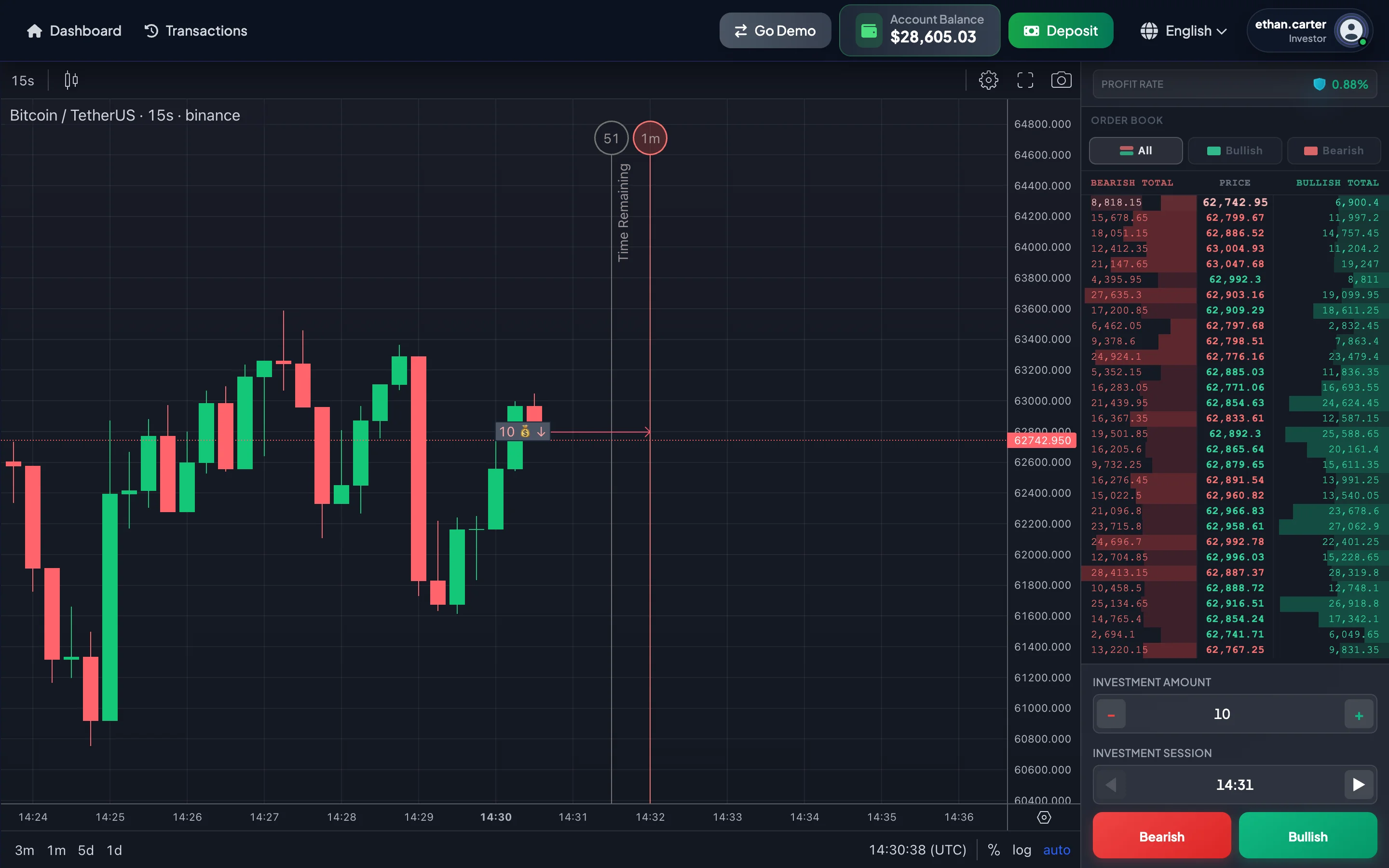
Session structure
Section titled “Session structure”Example: session 13:42 UTC.
| Time | Status | Meaning |
|---|---|---|
| 13:42:00 → 13:42:30 | Investment time | Bullish or Bearish can be selected for the 13:42 session. |
| 13:42:30 → 13:43:00 | Closing time | The session is being settled. Do not place an investment for the old session. |
| 13:43:00 | Finish | The result of the 13:42 session is determined. |
Invest line
Section titled “Invest line”The Invest line is the placement deadline for the session.
For session 13:30, the Invest line is 13:30:30. After this point, select the next session.
Finish line
Section titled “Finish line”The Finish line is the end of the session.
For session 13:30, the Finish line is 13:31:00. At this point, the system settles the result and may display the result popup.
Automatic move to the next session
Section titled “Automatic move to the next session”After the clock passes second 30, the selected session may automatically move to the next session.
| Current time | Newly selected session | Invest line | Finish line |
|---|---|---|---|
| 13:30:29 | 13:30 | 13:30:30 | 13:31:00 |
| 13:30:31 | 13:31 | 13:31:30 | 13:32:00 |
This behavior helps prevent placement in a session whose investment window has already closed.
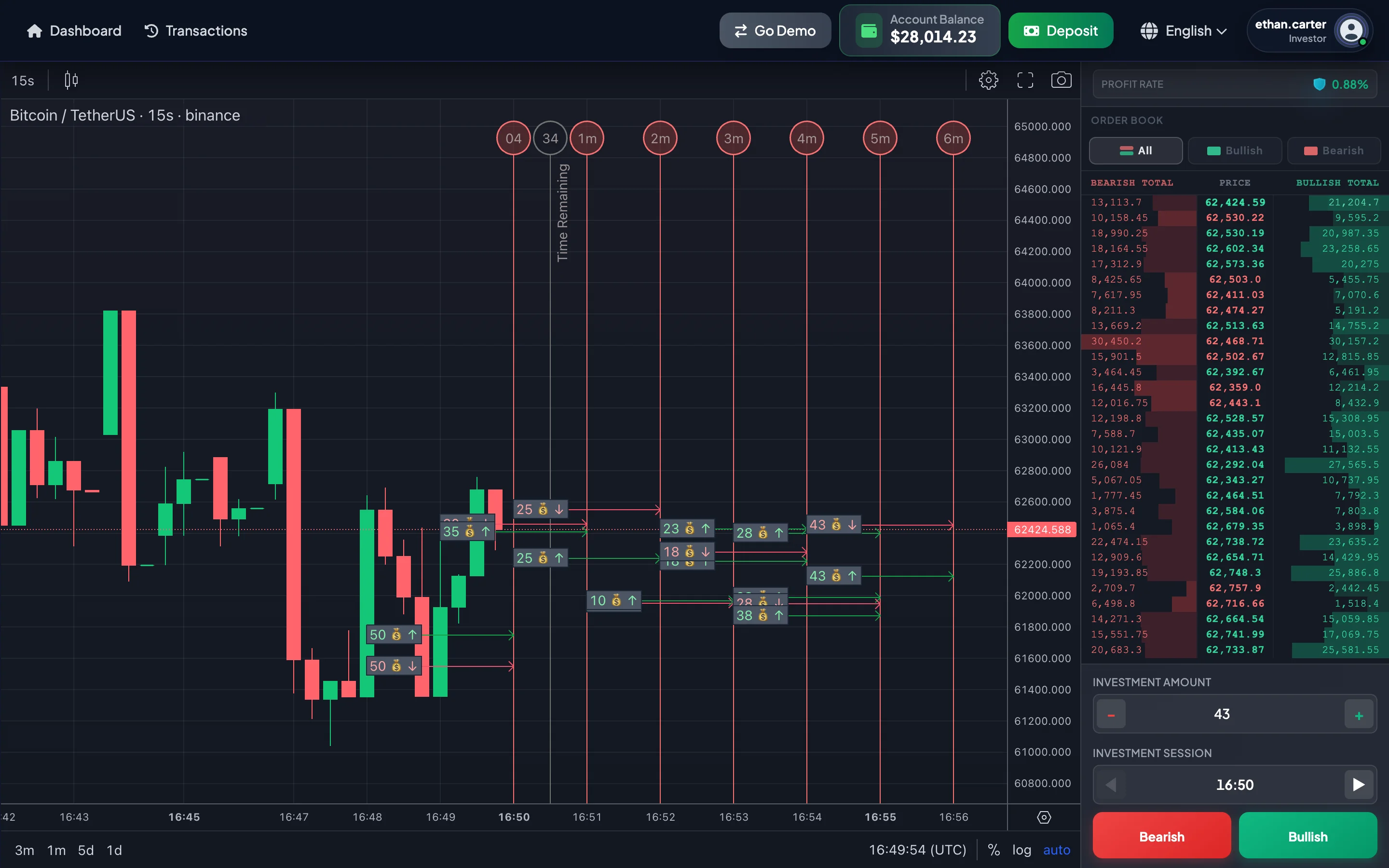
Selecting a future session
Section titled “Selecting a future session”The investment panel includes two arrow buttons:
| Button | Purpose |
|---|---|
| ◀ Previous | Moves to an earlier session within the permitted range. |
| ▶ Next | Moves to a later session. |
You can normally select the Current Session and approximately 10 future sessions. If the Current Session is 13:42, future sessions may include 13:43, 13:44, 13:45, and so on, up to approximately 13:52.
When should you select the Current Session?
Section titled “When should you select the Current Session?”The Current Session may be appropriate when:
- You are actively monitoring the chart.
- Enough time remains before the Invest line.
- You want to review the result quickly.
- Your market scenario is clear.
Avoid the Current Session when only a few seconds remain and you have not yet checked the Investment Amount, mode, and direction.
When should you select a future session?
Section titled “When should you select a future session?”A future session may be appropriate when:
- You want to prepare in advance.
- You are monitoring a future price area or time window.
- You do not want to be pressured by the Current Session’s countdown.
The further the selected session is from the current time, the less relevant the current chart data may be. New users should avoid selecting a distant future session without a specific plan.
Multiple investments in one session
Section titled “Multiple investments in one session”You may place multiple investments in the same session. Each selection of Bullish or Bearish may create a separate investment.
Example: session 13:42.
| Investment | Direction | Amount |
|---|---|---|
| 1 | Bullish | 10 USDT |
| 2 | Bullish | 20 USDT |
| 3 | Bearish | 5 USDT |
The total capital at risk in the session is the sum of all Investment Amounts placed in that session.
UTC time
Section titled “UTC time”Investment Sessions use UTC.
When taking a screenshot or contacting Support, clearly state whether the time is UTC or your local timezone.