
Referral Code
The Referral Code page lets you view your personal Referral Code, copy a registration link, and share a QR Code with new users.
When another person opens your link, the registration page includes your Referral Code. After the person completes registration, the account may be recorded in your network when all system requirements are met.
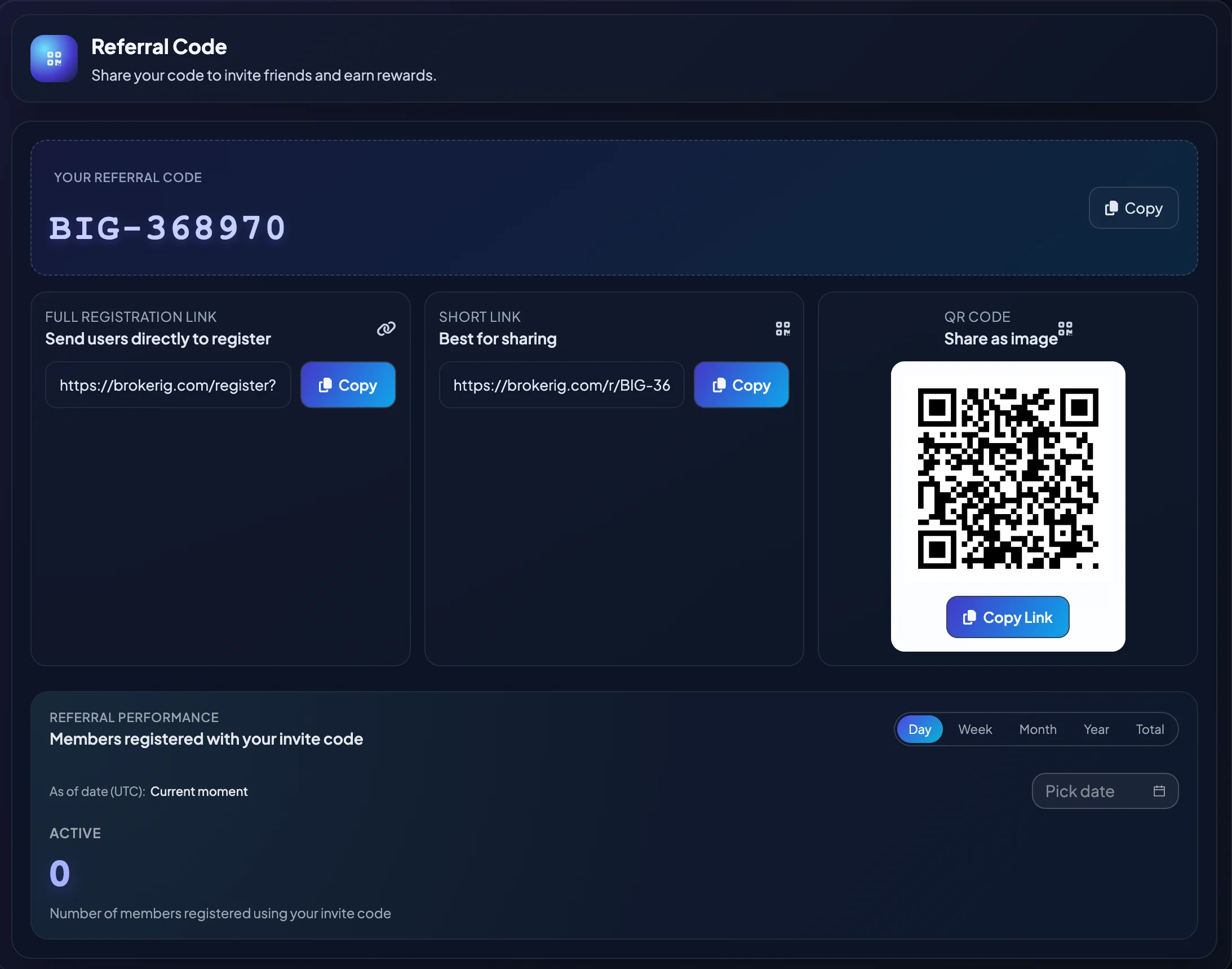
Information on the page
Section titled “Information on the page”| Item | Meaning |
|---|---|
| Your Referral Code | The code that identifies you as the referrer. |
| Full Registration Link | Sends the invited user directly to registration with your Referral Code. |
| Short Link | A shorter version that is easier to share in messages, social media, or promotional content. |
| QR Code | A scannable image that opens the registration link. |
| Referral Performance | Shows members registered with your code for the selected reporting period. |
How to share your Referral Code
Section titled “How to share your Referral Code”- Open Partners.
- Select Affiliate or Affiliate Program.
- Select Referral Code.
- Copy the Full Registration Link or Short Link.
- Send the link to the person who needs to register.
- The invited person opens the link and completes registration.
- After successful registration, verify the account in Network Tree.
You may also share the QR Code when the invited person is using a mobile device.
Which link should you use?
Section titled “Which link should you use?”Use the Full Registration Link in email, official documentation, or any situation where clarity and easy verification are important.
Use the Short Link in chat messages, social-media posts, or short promotional content.
Use the QR Code when meeting the invited user in person or when displaying the registration link on printed or visual material.
Review Referral Performance
Section titled “Review Referral Performance”Referral Performance shows the number of members registered with your invite code.
You may review the statistics by:
- Day
- Week
- Month
- Year
- Total
Use these values to monitor whether referral activity is increasing or decreasing over time.
When an invited user does not appear in the Network Tree
Section titled “When an invited user does not appear in the Network Tree”Check the following:
- Did the user register through the correct link?
- Was the Referral Code entered correctly?
- Was registration completed successfully?
- Does the platform need additional time to synchronize the data?
- Is the account blocked, cancelled, or waiting for a verification step?
If the member still does not appear, contact Support through __SUPPORT_EMAIL__ or __SUPPORT_TELEGRAM_URL__. Include the invited user’s account email and registration time.
Security notes
Section titled “Security notes”A Referral Code is not a password, OTP, Authentication Code, or security key. You can share it with people who need to register.
Do not share:
- Your account password.
- An email Verification Code.
- A 2FA Authentication Code.
- A private key or seed phrase.
- Another person’s sign-in information.