
USDT Wallet and Balance
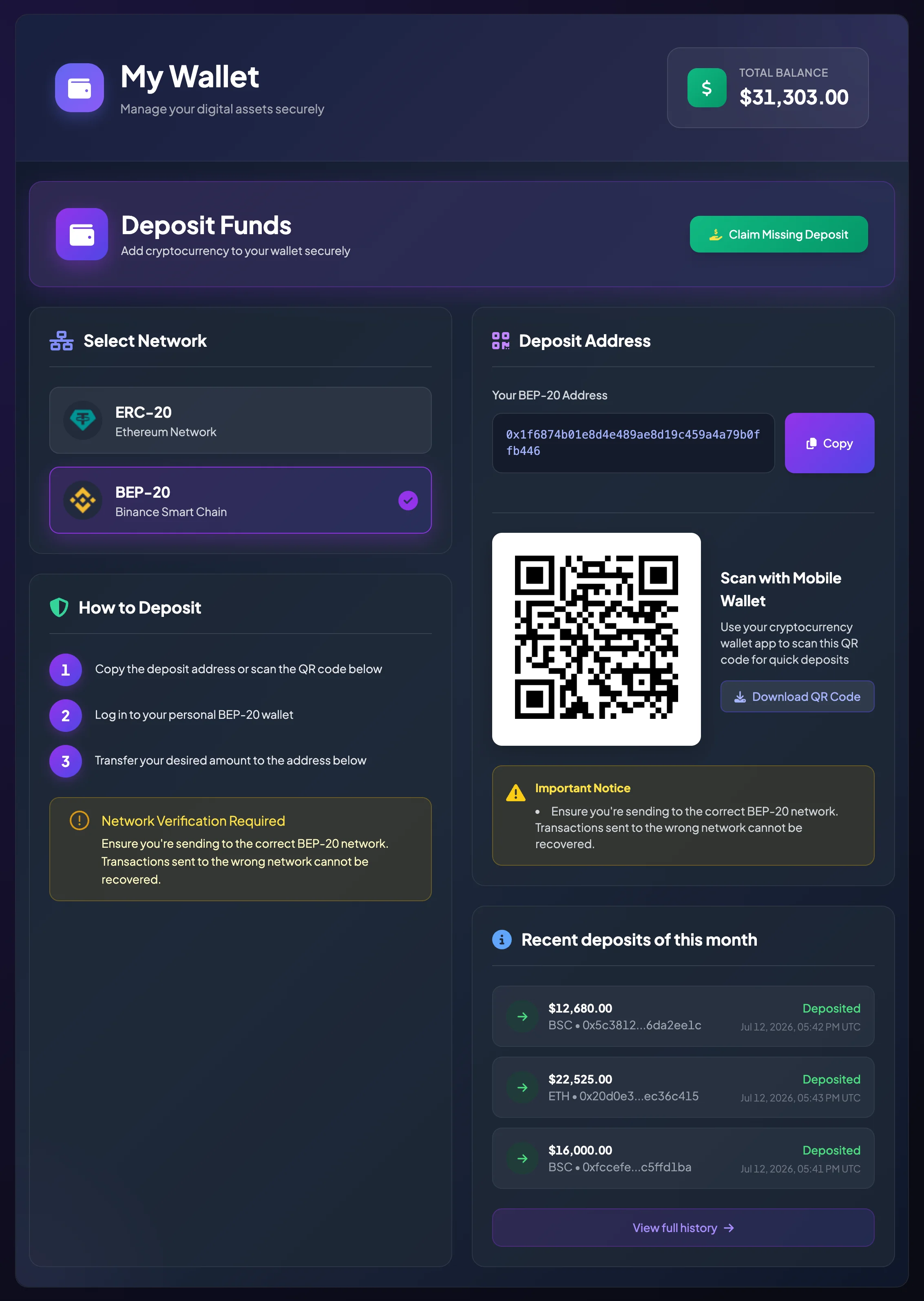
The My Wallet page lets you view your current balance and manage the assets used for activities on BrokerIG. For regular users, this is the page to check before depositing, withdrawing, placing a direct investment, or joining an entrusted investment campaign.
BrokerIG focuses on USDT. Unless the platform explicitly displays another asset, references in this documentation to deposits, withdrawals, investments, or balance generally mean USDT.
What is your balance used for?
Section titled “What is your balance used for?”Your USDT balance may be used for several activities:
- Direct investment. When you select a market pair and place an investment, the investment amount is deducted from your balance.
- Direct-investment results. If an investment is profitable, the returned amount or profit is credited to your balance.
- Entrusted investment. When you join a campaign, the required investment is recorded according to the campaign flow.
- Campaign settlement. When a campaign closes or reaches settlement, your balance may be updated based on the campaign result.
- Withdrawals to a personal wallet. You can withdraw USDT to an external wallet through ETH or BSC.
- Commissions and rewards. If your account qualifies for referral commission, agency commission, pending rewards, or system rewards, your balance may change accordingly.
Total Balance and Available Balance
Section titled “Total Balance and Available Balance”On the wallet screen, you may see Total Balance. Withdrawal screens may also display Available Balance.
- Total Balance is the amount of USDT currently recorded in your account.
- Available Balance is the portion available for the current action, such as a withdrawal or investment.
In some situations, Total Balance and Available Balance may differ because the system is holding, processing, or locking part of the funds for an active transaction. If there is a difference, review the relevant transaction or order status.
When does your balance increase?
Section titled “When does your balance increase?”Your balance may increase when:
- A USDT deposit is confirmed.
- A withdrawal fails and the deducted amount is refunded.
- A direct investment is profitable.
- A direct investment fails and the system refunds the amount according to its processing rules.
- An entrusted investment campaign reaches settlement and returns funds to a participant.
- The account receives consultant commission, agency commission, referral commission, or another reward.
When does your balance decrease?
Section titled “When does your balance decrease?”Your balance may decrease when:
- You submit a USDT withdrawal.
- You make an Internal Transfer, if that feature is enabled.
- You place a direct investment.
- You join an entrusted investment campaign.
- A pending reward is withdrawn or moved according to the system flow.
To identify the exact reason for an increase or decrease, open Balance History.
How does balance affect your account level?
Section titled “How does balance affect your account level?”Your account level may be determined by your USDT balance. A higher account level may provide additional benefits, such as a better profit rate for certain direct-investment pairs.
To move to a higher account level, you can deposit additional USDT. Once the deposit is credited and your balance is updated, the system determines your level according to the current thresholds.
Learn more:
Check your balance after a deposit or withdrawal
Section titled “Check your balance after a deposit or withdrawal”After a deposit or withdrawal, check the following in order:
- Open Deposit and Withdrawal History to review the transaction status.
- Open Balance History to confirm that the amount was credited or deducted.
- Check the TxHash on the appropriate blockchain explorer if you need to reconcile the on-chain transaction.
- Contact Support if the transaction is confirmed on-chain but has not been recorded in your account.
Fund-management notes
Section titled “Fund-management notes”- Do not use your entire balance for a single investment or campaign.
- Keep part of your USDT available if you have transactions in progress or expect to withdraw.
- Before withdrawing, review the Network Fee and Total Deducted from Balance.
- Before joining a campaign, review the required investment, campaign duration, net profit, and consultant information.
- History timestamps may be displayed in UTC. When comparing them with an external wallet or exchange, account for the timezone difference.