
Link the Telegram Bot
You can link a Telegram account to BrokerIG to receive notifications more quickly on a phone or computer.
After linking, the Telegram bot can send updates about deposits, withdrawals, balance changes, investments, security events, transactions, and other important activity.
Benefits of the Telegram bot
Section titled “Benefits of the Telegram bot”The bot allows you to:
- Receive alerts without keeping the portal open.
- Monitor USDT deposit and withdrawal status more quickly.
- Receive security alerts for sign-ins or important changes.
- Monitor balance changes.
- Receive Direct Investment and Entrusted Investment campaign updates.
- Receive alerts on multiple devices where your Telegram account is signed in.
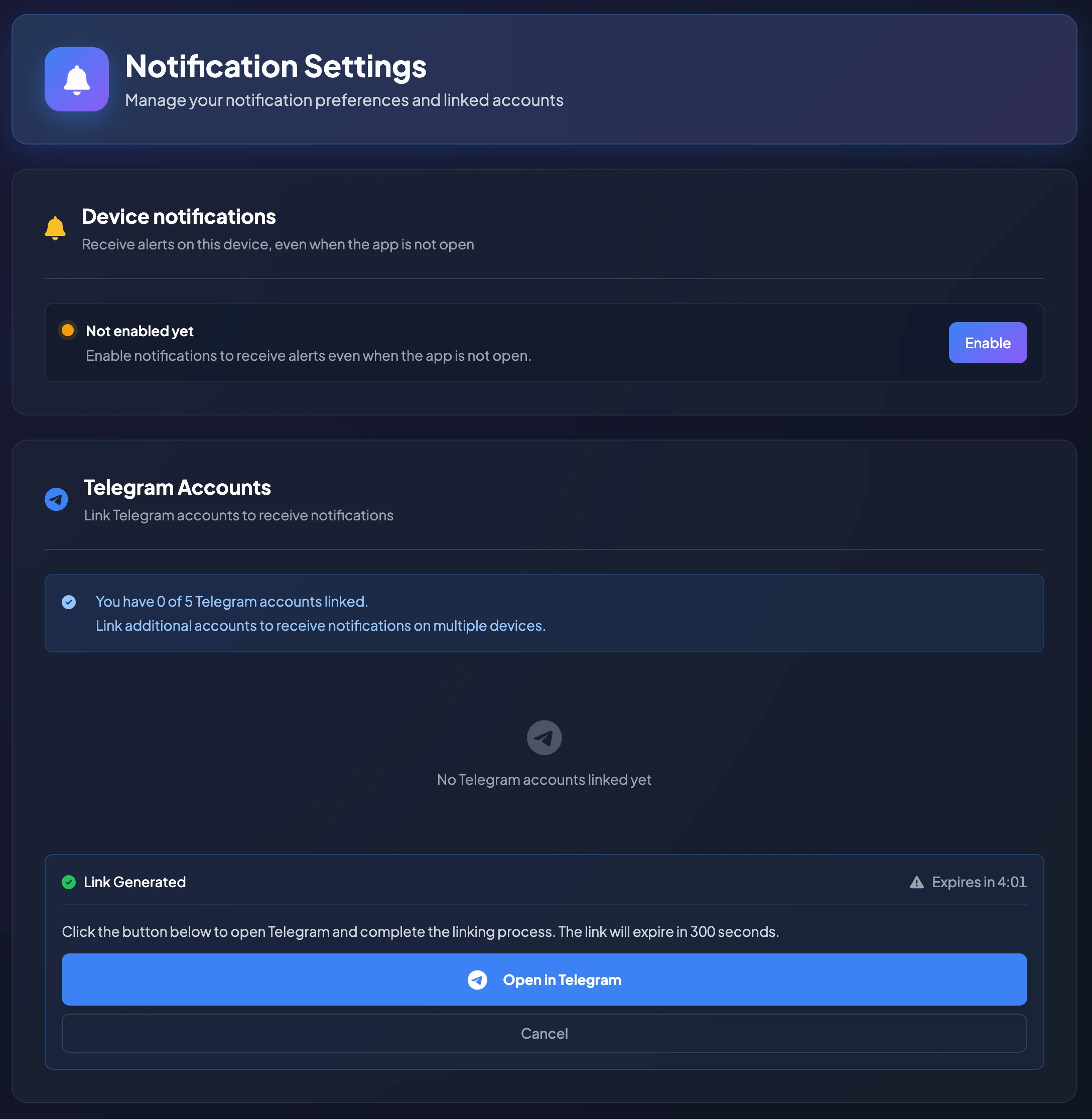
BrokerIG may support linking multiple Telegram accounts, up to the system limit. For example, the page may display You have linked 0 of 5 Telegram accounts.
Does the Telegram bot replace email OTP or 2FA?
Section titled “Does the Telegram bot replace email OTP or 2FA?”No.
The Telegram bot is primarily a notification channel. It does not replace your password, email OTP, or 2FA.
| Component | Purpose |
|---|---|
| Telegram bot | Receives notifications and account updates. |
| Email OTP | Verifies certain actions when 2FA is not enabled. |
| 2FA | Verifies sign-in or withdrawals with an Authentication Code from an Authenticator App. |
| Recovery Code | Restores access when the 2FA device is unavailable. |
Link a Telegram account
Section titled “Link a Telegram account”- Open Settings.
- Select Notifications.
- Find Telegram Accounts.
- Select the action to link an additional account.
- BrokerIG generates a link and may display Open in Telegram.
- Open the official BrokerIG bot in Telegram.
- Send the start command or confirm the link as instructed.
- Return to the portal and verify that the account appears as Active.
Unlink a Telegram account
Section titled “Unlink a Telegram account”Unlink an account when:
- You no longer use that Telegram account.
- You lost control of the Telegram account.
- Telegram was signed in on an unknown device.
- You want to replace it with another account.
- You no longer want the account to receive BrokerIG notifications.
To unlink it:
- Open Settings.
- Select Notifications.
- Find the linked Telegram account.
- Select Unlink.
- Confirm the action if prompted.
- Verify that the account was removed from the linked account list.
After unlinking, the bot will no longer send BrokerIG notifications to that Telegram account.
Is the bot secure?
Section titled “Is the bot secure?”The bot is safe to use when you access the official bot and never provide sensitive credentials.
The bot should never ask you to send:
- Your password.
- An email OTP.
- An Authentication Code.
- A Recovery Code.
- A private key, seed phrase, or personal wallet credentials.
- Identity documents through chat unless BrokerIG provides a verified official process.
If a bot requests any of this information, stop immediately and contact Customer Support through an official channel.
Avoid impersonation bots
Section titled “Avoid impersonation bots”Before linking, confirm that:
- The bot link was opened from the BrokerIG portal.
- The bot name and username match the official information.
- You did not open the bot from an unknown group or message.
- No external page asks for your BrokerIG sign-in credentials.
- You are not scanning an unverified QR code.
If you are unsure whether a bot is official, verify it at __PLATFORM_WEBSITE__ or contact __SUPPORT_EMAIL__.
If Telegram notifications are not received
Section titled “If Telegram notifications are not received”- Check whether the bot is muted or blocked in Telegram.
- Check the network connection on your phone.
- Confirm that the correct Telegram account is linked.
- Unlink and link the account again if necessary.
- Contact Customer Support if notifications still do not arrive.